
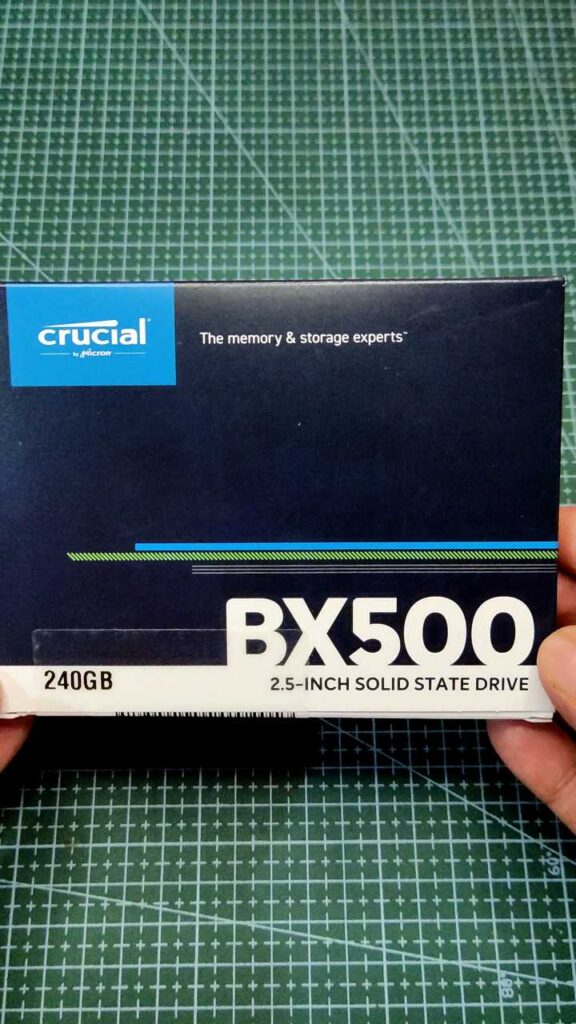
In the realm of computer hardware, the performance of your storage drive can significantly impact the speed and responsiveness of your system. Recognizing the need for fast and reliable storage solutions, Crucial has introduced the BX500 240GB SSD – a compact yet powerful solid-state drive designed to enhance the performance of your PC or laptop. In this blog, we’ll explore the features, benefits, and applications of the Crucial BX500 SSD, highlighting why it’s the perfect upgrade for users seeking improved speed and efficiency.
Blazing Fast Speeds with 3D NAND Technology:
At the heart of the Crucial BX500 SSD lies cutting-edge 3D NAND flash technology, which delivers blazing-fast read and write speeds for smooth and responsive performance. Whether you’re booting up your system, launching applications, or transferring large files, the BX500 SSD ensures snappy performance, allowing you to get more done in less time.
Ample Storage Capacity for Your Needs:
With a storage capacity of 240GB, the Crucial BX500 SSD offers ample space to store your operating system, applications, games, and multimedia files. Whether you’re a casual user who needs basic storage for everyday tasks or a power user who requires high-performance storage for demanding applications, the BX500 SSD provides the perfect balance of capacity and performance.
Enhanced Reliability and Endurance:
Crucial understands the importance of reliability and endurance when it comes to storage drives. That’s why the BX500 SSD is built to withstand the rigors of daily use, with robust construction and advanced error-correction algorithms that ensure data integrity and longevity. Whether you’re a casual user or a professional, you can trust the BX500 SSD to keep your data safe and secure.
Seamless Installation and Compatibility:
Installing the Crucial BX500 SSD is a breeze, thanks to its plug-and-play design and universal compatibility with both desktop and laptop systems. Whether you’re upgrading an older system or building a new one from scratch, the BX500 SSD seamlessly integrates into your setup, providing instant performance improvements without the need for complicated installation procedures or driver updates.
Energy-Efficient Design for Extended Battery Life:
In addition to its performance and reliability benefits, the Crucial BX500 SSD features an energy-efficient design that helps extend the battery life of your laptop or mobile device. By consuming less power than traditional hard disk drives (HDDs), the BX500 SSD allows you to enjoy longer battery life and increased productivity on the go.
Affordable Price Point for Budget-Conscious Users:
Despite its high-performance features and advanced technology, the Crucial BX500 SSD remains highly affordable, making it accessible to budget-conscious users who want to enjoy the benefits of solid-state storage without breaking the bank. Whether you’re a student, a small business owner, or a casual gamer, the BX500 SSD offers exceptional value for money compared to traditional HDDs or higher-end SSDs.
Why Upgrade to an SSD?
Before diving into the upgrade process, let’s understand why upgrading to an SSD is beneficial. Unlike traditional hard disk drives (HDDs), SSDs utilize flash memory technology, resulting in significantly faster read and write speeds. This translates to quicker boot times, faster application launches, and smoother multitasking. Additionally, SSDs are more durable, energy-efficient, and produce less noise compared to HDDs, making them an ideal choice for modern computing needs.
Choosing the Right SSD:
When upgrading your Dell OptiPlex, it’s essential to select an SSD that meets your storage requirements and performance expectations. Consider factors such as storage capacity, speed (measured in read and write speeds), form factor (2.5-inch or M.2), and brand reputation. Popular SSD brands include Samsung, Crucial, Western Digital, and Kingston. For most users, a SATA III SSD with capacities ranging from 240GB to 1TB should suffice for everyday computing needs.
Preparation:
Before beginning the upgrade process, ensure you have the necessary tools and backup your data to prevent any potential loss. You’ll need a Phillips screwdriver, an SSD mounting bracket (if required), and a cloning tool or installation media for reinstalling your operating system and applications onto the new SSD. Additionally, back up your important files to an external storage device or cloud storage service to safeguard against data loss during the upgrade process.
Step-by-Step Upgrade Process:
- Power off your Dell OptiPlex and disconnect all cables.
- Open the computer case by removing the screws on the side panel.
- Locate the existing storage drive (usually a HDD) and disconnect its cables.
- If necessary, remove the HDD from its mounting bracket and install the SSD in its place.
- Connect the SATA data and power cables to the SSD.
- Secure the SSD in place using screws or the mounting bracket.
- Close the computer case and reattach the side panel.
- Power on your Dell OptiPlex and enter the BIOS or UEFI settings to ensure the SSD is detected.
- If cloning your existing drive, use cloning software to transfer the data from the HDD to the SSD. Alternatively, if performing a clean installation, boot from your installation media and follow the on-screen instructions to install the operating system and drivers onto the SSD.
- Once the installation or cloning process is complete, restart your computer and enjoy the improved performance of your Dell OptiPlex with the new SSD.
Conclusion:
In conclusion, the Crucial BX500 240GB SSD is a versatile and cost-effective storage solution that offers blazing-fast speeds, ample storage capacity, enhanced reliability, and seamless compatibility with a wide range of systems. Whether you’re upgrading an old laptop or building a high-performance desktop PC, the BX500 SSD provides the perfect balance of performance, reliability, and affordability. Elevate your PC experience with the Crucial BX500 SSD and enjoy faster boot times, snappier application launches, and smoother multitasking for years to co
Where to buy
Crucial BX500 240GB — https://amzn.to/3TZLE4R